
Video Generation Is Here: One Credit Balance for Images and Videos

You can now create videos in ChatHub! Describe a scene, bring a still image to life, or use multiple reference images to guide your video’s subjects and style.
Alongside this launch, we’re replacing image counts with shared image and video credits, giving you more flexibility in how you use your allowance.
Bring Your Ideas to Life
Video generation supports Seedance 2.5 and MiniMax H3, with three ways to create:
- Text to video: Describe the scene, action, and camera movement.
- Image to video: Upload a starting frame, with an optional ending frame.
- Reference images to video: Use multiple images to guide subjects, appearance, or style.
Create videos from 4 to 15 seconds long, with resolution and other options depending on the model. The Generate button shows the estimated credit cost before you submit.
Here’s an example using a fictional perfume brand: first, generate a product image, then use it as the starting frame for a short product video.
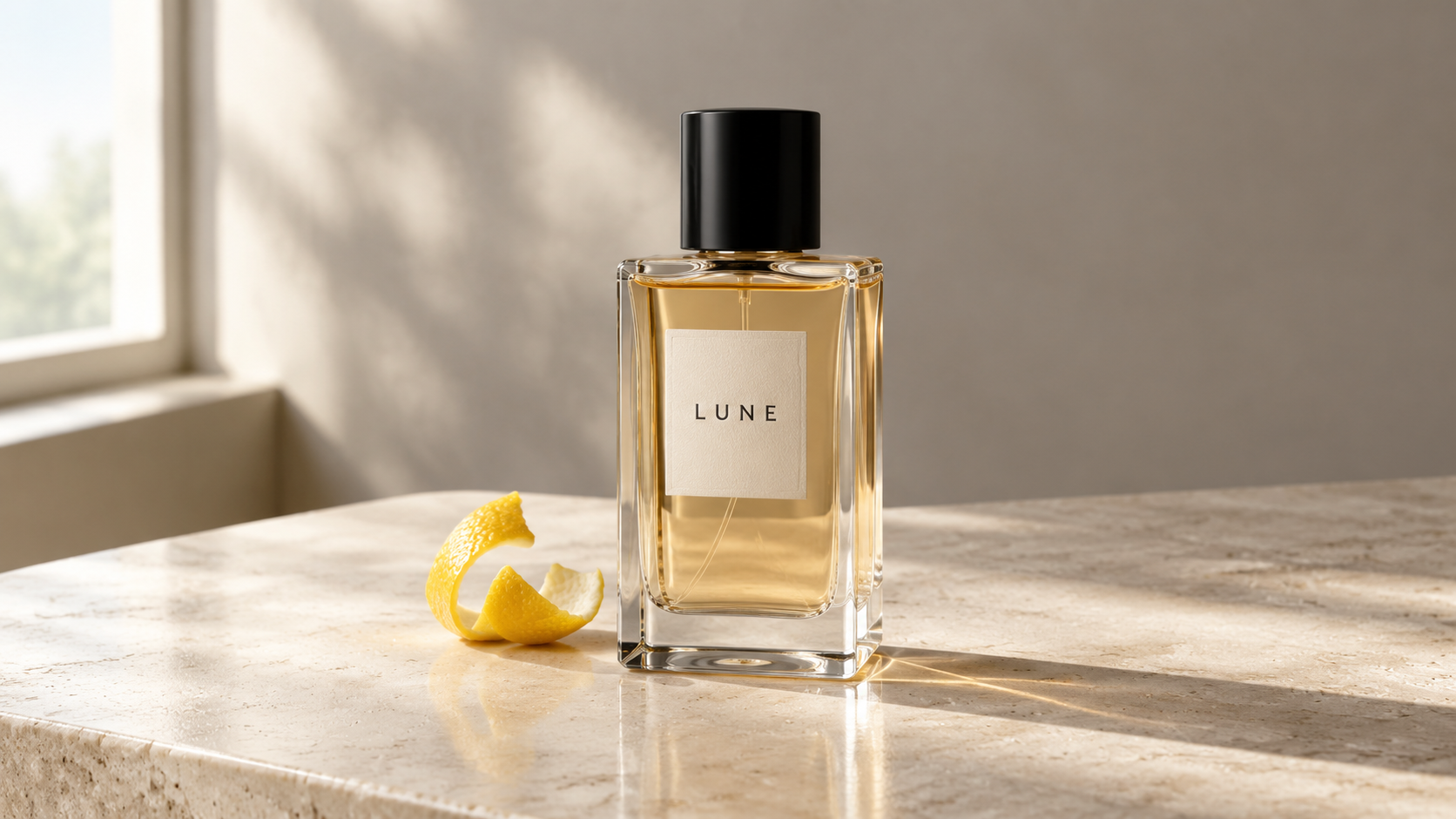
A 5-second video generated from the product image (MiniMax-H3 · 200 Credits used)
Image Prompt : Create a photorealistic product photograph for a fictional perfume brand called LUNE. A clear, rectangular glass perfume bottle filled with pale amber liquid, with a black cap and a minimal off-white label reading “LUNE.” The bottle stands upright on a light beige stone surface, with a small piece of bergamot peel beside it. A soft, warm gray background. Morning sunlight enters from a window on the left, casting natural light and shadows across the surface. Crisp bottle edges, realistic glass reflections, and a clean composition. Vertical 9:16 format, with no additional text.
Video Prompt: Use the uploaded image as the first frame of a 5-second perfume product video. The camera slowly pushes toward the bottle while moving slightly to the right, revealing the depth of the glass. Soft window light and shadows shift gently, while highlights on the bottle change naturally with the camera movement. Preserve the bottle’s shape, cap, label text, and liquid color from the first frame. Keep the bottle and bergamot peel stationary. Maintain a calm pace and a photorealistic look. Do not add objects, captions, or transitions.
From a still product image to a short video, both steps use the same ChatHub credit balance.
From Image Counts to Shared Credits
Image models have different generation costs, while video costs also vary by duration, resolution, and other settings. Credits account for these differences and let you use one monthly allowance for both images and videos.
| Plan | Previous allowance | New allowance |
|---|---|---|
| Pro | 300 images/month | 3,000 credits/month |
| Unlimited | 1,000 images/month | 10,000 credits/month |
Existing users’ remaining image allowances are automatically converted at 10 credits per image. For example, 120 remaining images become 1,200 credits. No action is needed. New image generations use the credit rate of the selected model.
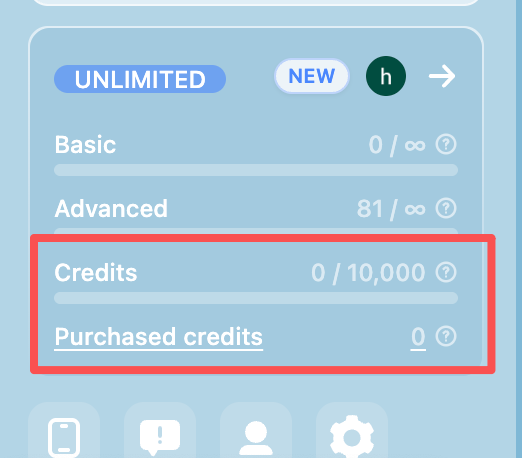
These changes are now in effect. AI chat pricing and usage allowances remain unchanged.
How Many Images Can You Generate?
| Image model | Credits per image | Pro: 3,000 credits | Unlimited: 10,000 credits |
|---|---|---|---|
| Fast SDXL | 2 | 1,500 images | 5,000 images |
| Z Image | 4 | 750 images | 2,500 images |
| FLUX.2 | 10 | 300 images | 1,000 images |
| GPT Image 2 | 13 | 230 images | 769 images |
| Nano Banana | 14 | 214 images | 714 images |
| Nano Banana 2 | 24 | 125 images | 416 images |
| Seedream 4.5 | 27 | 111 images | 370 images |
| Nano Banana Pro | 48 | 62 images | 208 images |
Figures assume the entire monthly allowance is used for one model, rounded down to whole images. GPT Image 2 and the Nano Banana models include current discounts. Check the generation page for current credit costs.
Popular image models currently have limited-time discounts, shown on the generation page and reflected in the table above. Credit costs may change as these offers end or providers adjust their pricing. We’ll pass along provider discounts and may adjust costs upward when provider prices increase. Thanks for your understanding—check the generation page for current rates and offers.
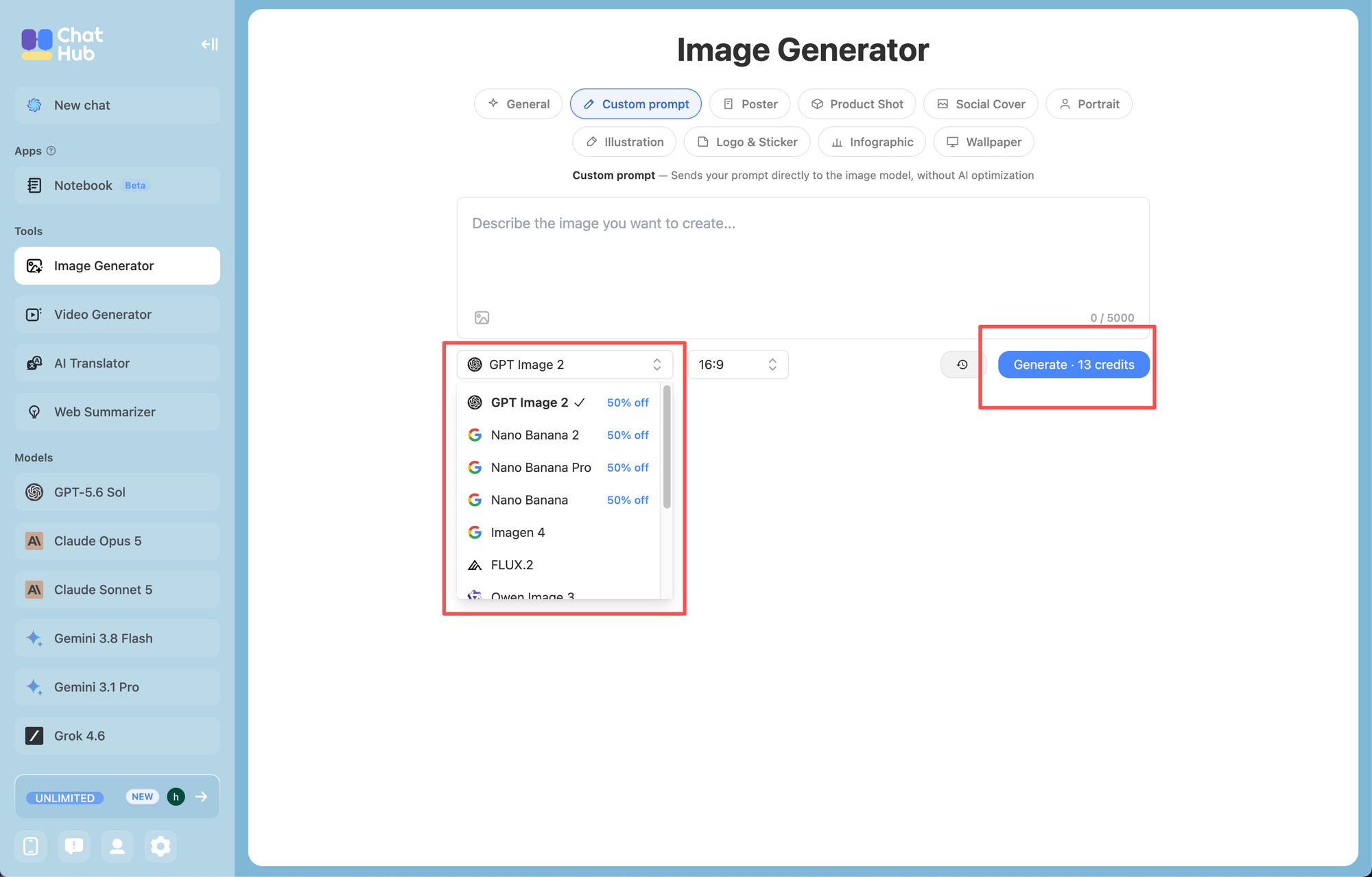
With the models currently available, the same credit allowance can generate different numbers of images depending on your choice. Compared with the previous image-count system, lower-credit models let you generate more images, while higher-credit models yield fewer. You can mix models or reserve some credits for videos.
Need More Credits?
You can now purchase extra credits at 500 credits per $1, starting at $5 for 2,500 credits. Purchased credits are used when your plan allowance is insufficient, are valid for 3 months, and work for both image and video generation.
Open Video Generation in ChatHub, enter a prompt or upload an image, and create your first video. casino rocket mobile